In Atlassian Marketplace review

The shift handoff you didn't have to write.

When a shift ends, Passdown reads what actually happened — the tickets worked, what's blocking, what's next — and writes the handoff itself. Posted as a comment, the incoming person mentioned and the ticket reassigned. No one has to remember to leave a note.

  • Fires automatically at shift boundaries
  • Guaranteed notification via reassignment
  • Reads your existing on-call schedule, builds nothing new
Live Jira comment

Written and posted with no one at the keyboard.

Captured straight from a real shift boundary — nothing staged.

Unedited screenshot
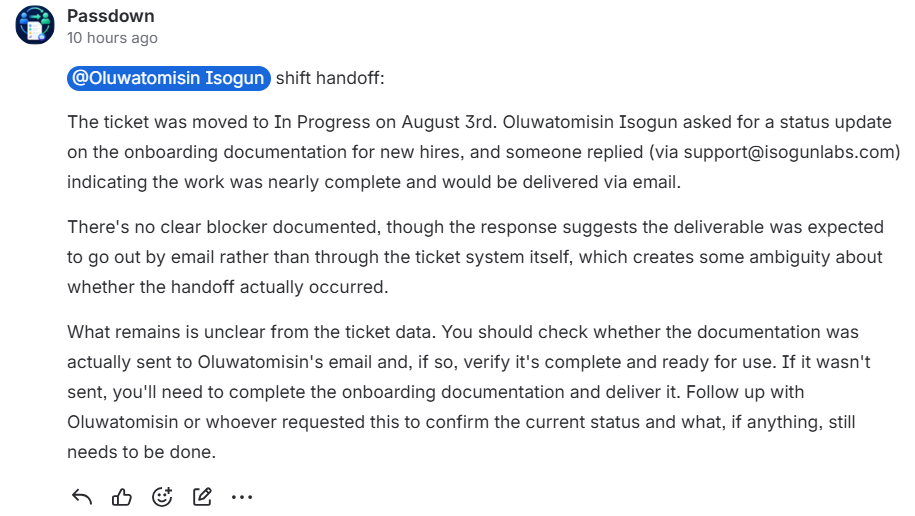
A real Passdown-authored comment on a Jira ticket: '@Oluwatomisin Isogun shift handoff:' followed by a plain-language summary of what happened during the shift.
Posted automatically at the shift boundary — no manual step.
How it works

From shift boundary to a written brief

No manual step from the outgoing agent — Passdown watches the schedule you already maintain and writes the handoff the moment it changes.

1
Native JSM schedule
A real Jira Service Management on-call schedule, with routing rules, escalation policy, and a rotation timeline showing who is on call.

A shift boundary happens

Read straight from JSM's native on-call schedule — no separate rotation to configure.

2
Generated live
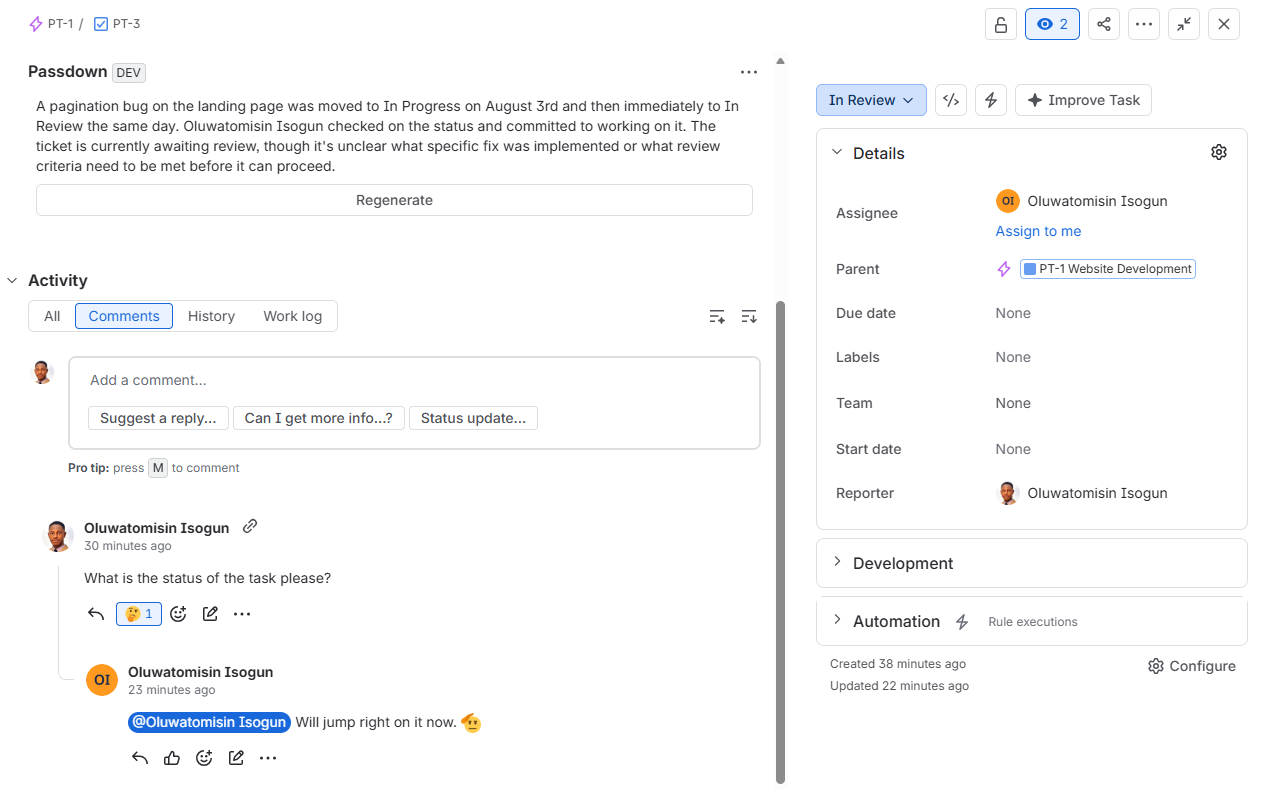
Passdown's on-demand summary panel on a real Jira ticket, showing a generated plain-language summary of the ticket's history.

Passdown writes the brief

Every open ticket the outgoing person had gets a plain-language summary: what happened, what's blocking, what's next.

3
Unedited screenshot
The same real Passdown comment: the incoming person mentioned by name in the handoff brief.

Posted, mentioned, reassigned

The incoming person is @-mentioned and the ticket is reassigned to them — a guaranteed signal, not just a hopeful notification.

Not a mockup
One shift boundary, three tickets

Real handoffs, unedited

One outgoing person, one shift change — Passdown found every open ticket they had and wrote the handoff for each, on its own, in the same pass. These are unedited screenshots of that run.

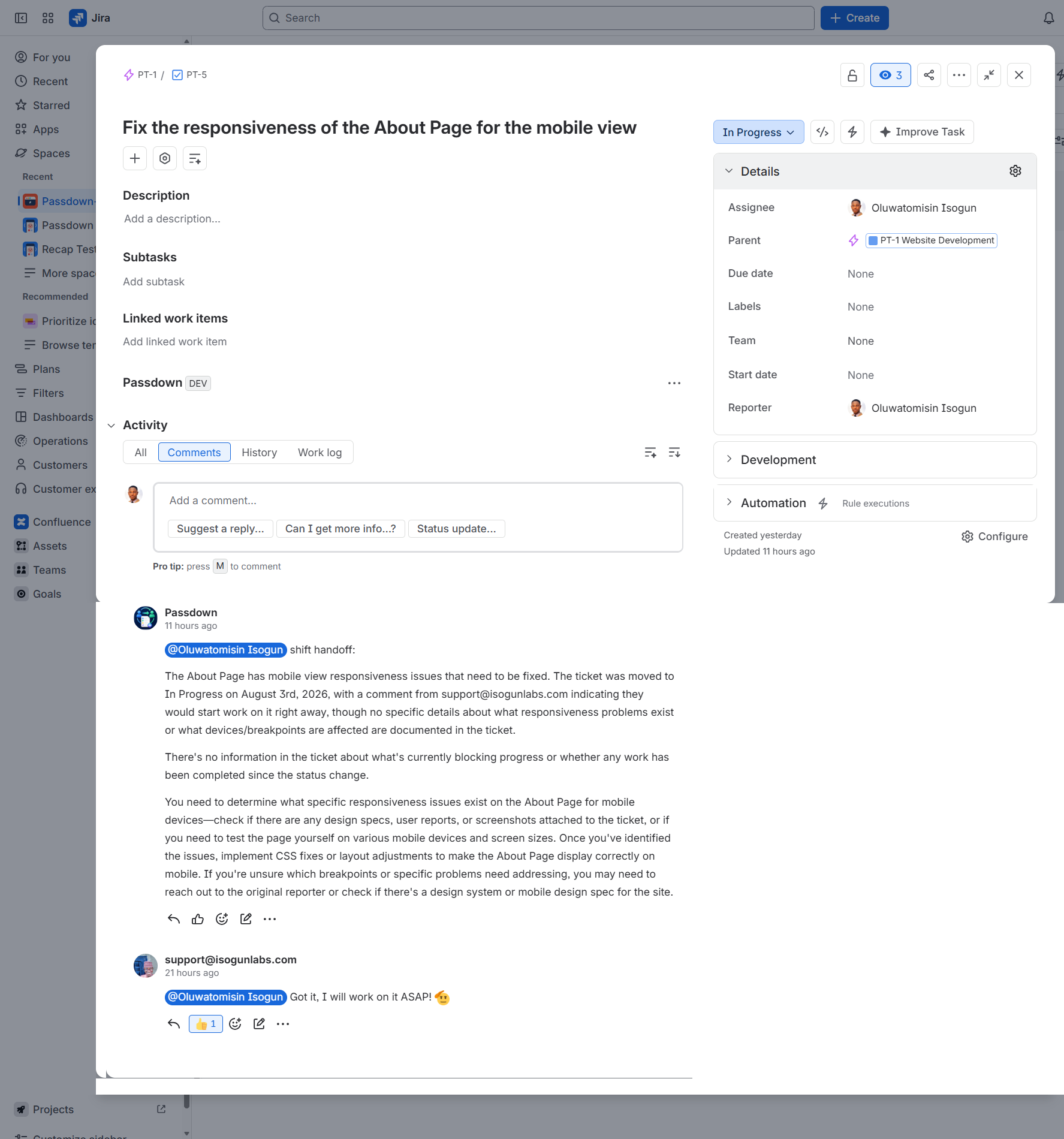
PT-5

Posted the moment the shift changed.

No one opened this ticket to write it.

Auto-posted
Real Passdown comment on ticket PT-5, 'Fix the responsiveness of the About Page for the mobile view', posted automatically at a shift boundary.
"Fix the responsiveness of the About Page for the mobile view"
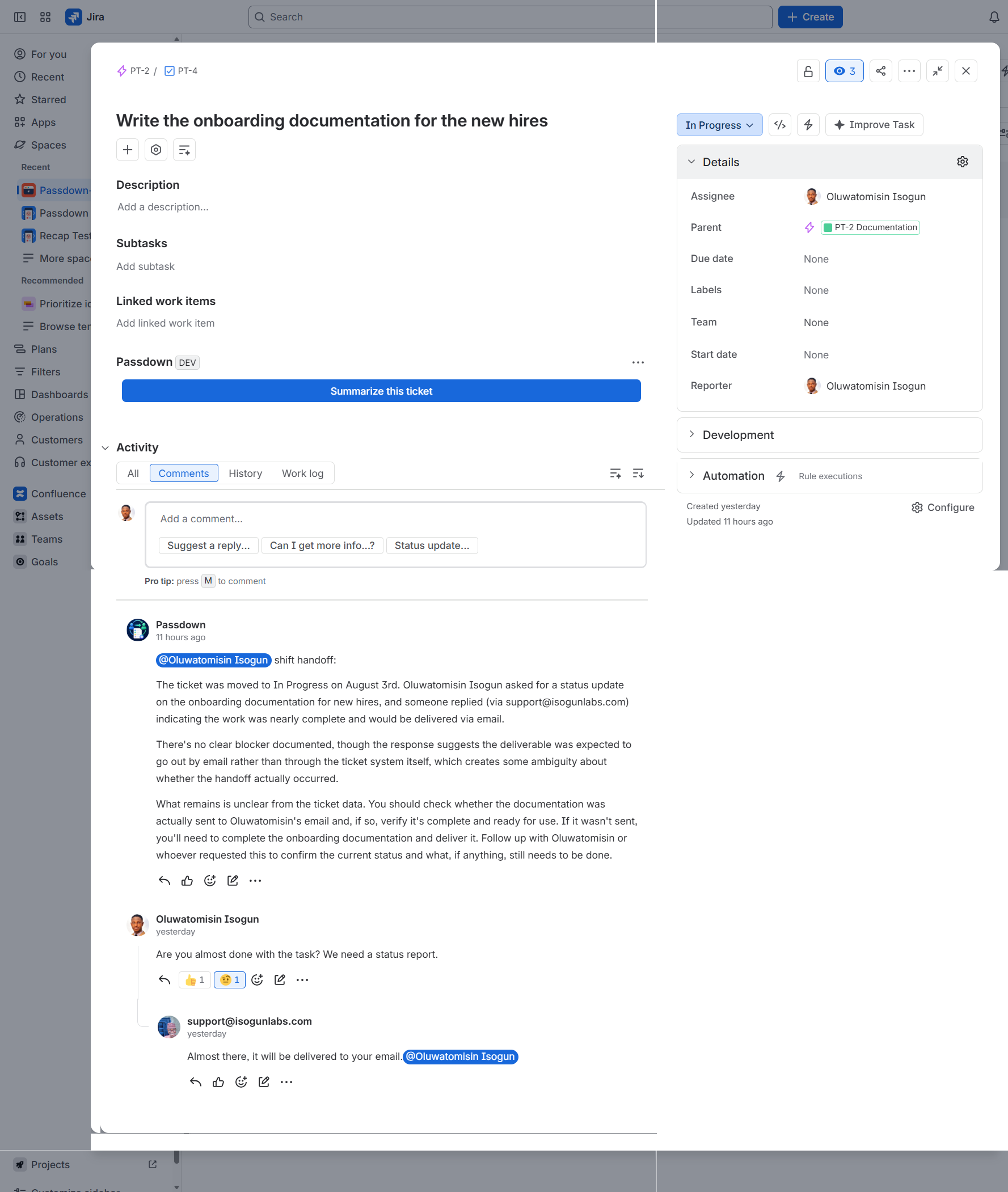
PT-4

The incoming person, named.

Not "someone" — mentioned by name, on the ticket.

@-mentioned
Real Passdown comment on ticket PT-4, 'Write the onboarding documentation for the new hires', with the incoming person mentioned by name.
"Write the onboarding documentation for the new hires"
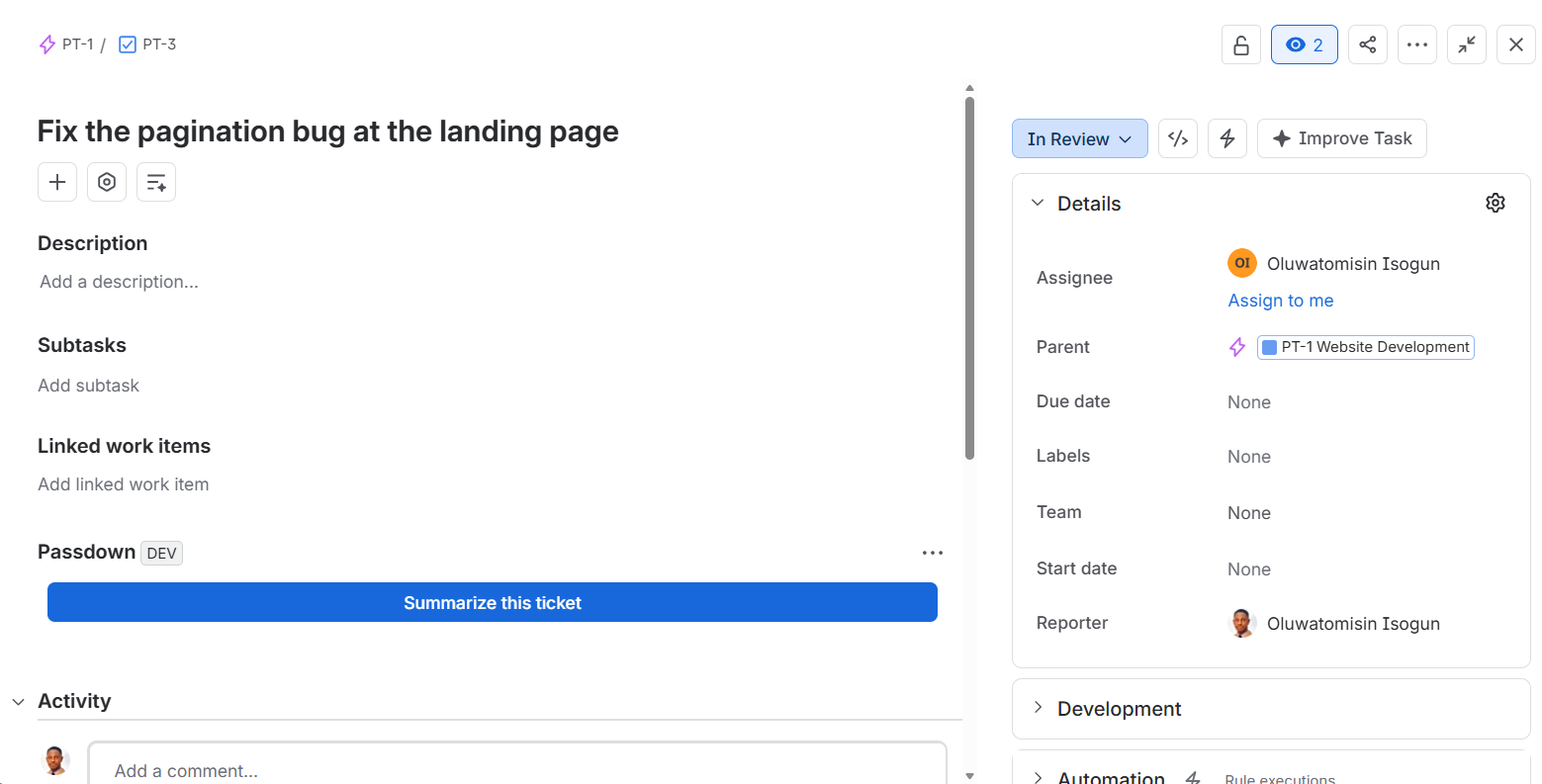
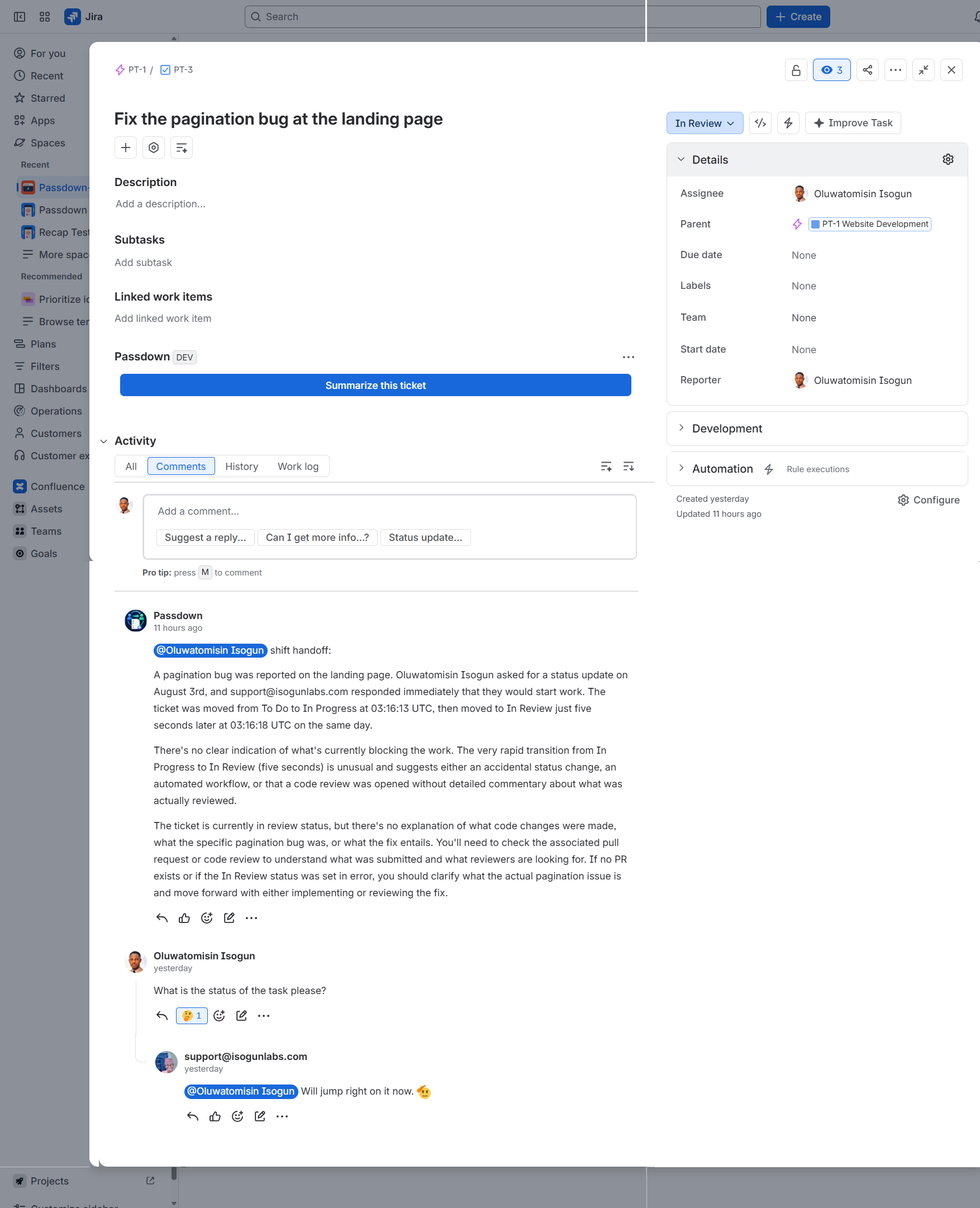
PT-3

Written from that ticket alone.

Its own history, not a shared template.

Own history
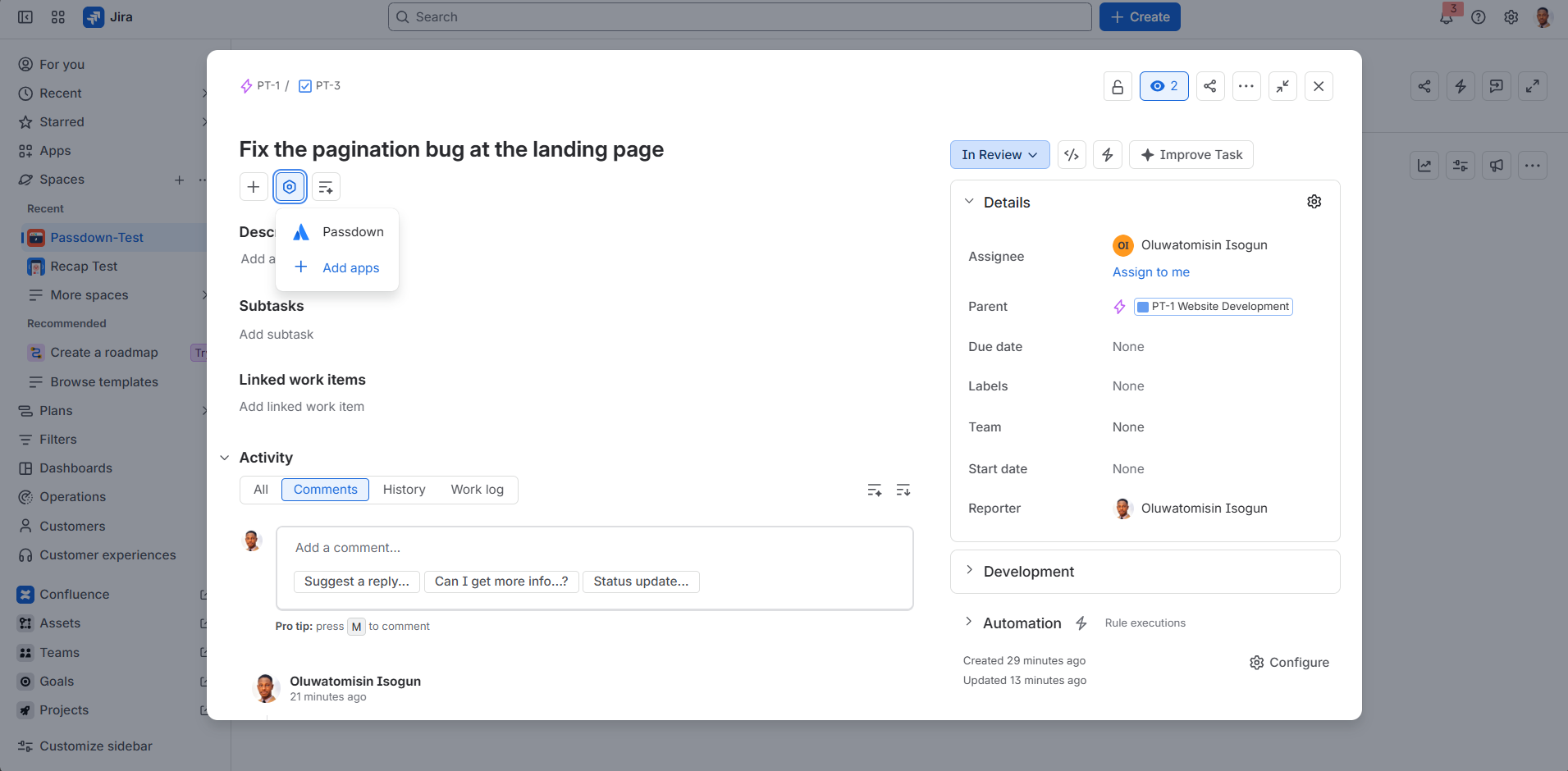
Real Passdown comment on ticket PT-3, 'Fix the pagination bug at the landing page', a generated brief specific to that ticket's own history.
"Fix the pagination bug at the landing page"
One engine, two jobs

The same brief, run two ways

Whole-shift automation is the flagship. The same engine also runs on a single ticket, on demand.

Automatic — shift handoff
Reads on-call state
The real on-call schedule Passdown reads to detect a shift boundary.
On demand — per ticket
One click
The on-demand 'Summarize this ticket' button in Passdown's panel on a real Jira ticket.

Anyone catching up on a single ticket — mid-shift, after time off, or picking up an escalation — can get the same plain-language summary from a panel on that ticket, without waiting for a shift boundary.

Why it's built this way

Honest by default

No invented details, no rebuilt scheduling, no growing storage.

Fully automatic

No button to click at shift end. The brief is written and posted on its own.

Nothing invented

The brief reflects what the ticket's own history says — no fabricated status or metrics.

Guaranteed notification

The incoming person is reassigned the ticket, not just mentioned — a signal that can't be missed.

Bounded storage

Only ever one small record per on-call schedule, overwritten each check — never a growing history.

FAQ

Questions people actually ask

Does Passdown replace my on-call scheduling tool?

No. Passdown reads the on-call schedule you already maintain in Jira Service Management — it never builds or competes with rotation or delegation logic.

What happens if the on-call person is a team, not an individual?

That schedule is skipped for automatic handoffs — there's no single incoming person to assign or mention. This is a known, current limitation, not a silent failure; it's visible in the app's logs.

Does Passdown post to Slack or Teams?

Not yet. Slack and Teams push is planned as a future, explicitly opt-in admin setting — off by default and not part of the current build. See Documentation.

What data does Passdown access or store?

Ticket content needed to write a summary, and one small record per on-call schedule (who's currently on-call) so it can detect the next change. See the privacy policy for detail.

Stop starting your shift blind

Passdown is in Atlassian Marketplace review. Leave your email and we'll let you know the moment it's available to install.